x

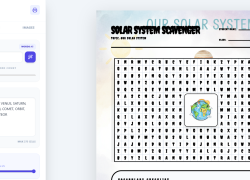
Teacher’s Word Search Wizard

As a teacher, your time is your most valuable resource. Why spend your evenings manually typing word lists and formatting grids when you can generate a professional-grade classroom activity in seconds?

The Teacher’s Word Search Wizard is a premium, AI-driven tool designed specifically for educators who want to create high-engagement, curriculum-aligned vocabulary activities without the grunt work.

Teacher Clock Tool – Interactive Time & Elapsed Time Teaching Tool (Premium)

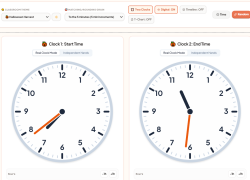
Teacher Clock Tool is a premium classroom-ready time teaching toolkit built for whole-group instruction and small-group practice. Instantly display an interactive analog clock with smooth, student-friendly hand movement, then switch to Two Clocks Mode to compare times side-by-side—perfect for elapsed time lessons. Need visual support?

Classroom Shape Generator – Premium Geometry Tool for Teachers

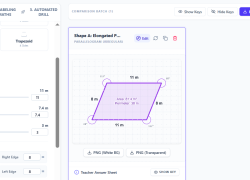
The Classroom Shape Generator is a premium teacher-only math tool designed to help educators quickly create high-quality geometry, area, and perimeter practice materials. Registered teachers gain access to a powerful shape-building tool that generates custom rectangles and polygons with accurate side-length labels, optional missing sides, and calculated area and perimeter values.

Valentine's Vocabulary Word Search and Spelling Activity

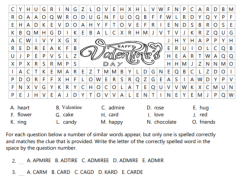
This is a word search that contains 15 Valentine's Day vocabulary words. It has art that can be colored by students if they are done early. Eight of the words are then used in a correct spelling identification activity. This is a great filler for a Valentine's Day vocab station or group.

For more resources and activities for elementary students, please visit more on the EducationalResource.org website. 

What are different types of fossils? Video

Immerse yourself in an engaging animated video that delves into the captivating world of fossils. Discover a wealth of information about various types of fossils and their intricate formation processes. This educational video covers a wide range of fascinating fossils, including trace fossils, mold fossils, resin fossils, and body fossils. Gain a comprehensive understanding of each type as you explore their unique characteristics and significance. Expand your knowledge and fuel your curiosity through this visually captivating and informative exploration of fossils.

Smartboard Friendly Clock

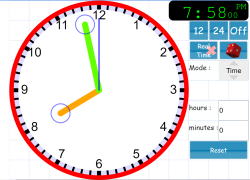
This educational website does a great job with it's analog and digital clock.  You can change the clock to real time.  You can roll a dice to get a random time on the clock.  You can actually change the mode and use the clock's hands to demonstrate angles and fractions.  The clock's style and color can also be changed. You can also change the style of the tick marks that go around the clock which makes it easier for students to view, when you are demonstrating different times.  

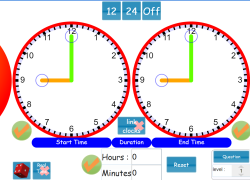
Smartboard Friendly Elapsed Time Clocks

This website provides great student whiteboard activities for elapsed time.  There are two clocks that are completely changeable so that you can ask students what the elapsed time is.  I use the dice frequently because it provides completely random times.  You can hide one clock  and then give how many hours before or after that specific time and now your students have to either draw the time they calculate it to be and then unhide the clock so students can verify their calculations.  

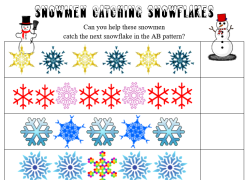
Snowmen Catching Snowflake AB Patterns 1st Grade

This AB patterns worksheet also comes with an accompanying Smart Notebook section. As a teacher, you can either have the students discover AB patterns as a whole group lesson using your interactive whiteboard, or you can reinforce their ability of AB patterns using the worksheet. Students will also get to cut out and glue the snowflakes onto the worksheet as an activity. There are also a few extra snowflakes they can cut out and create a necklace with if you would like to do an extension activity. This worksheet is great during the winter months.

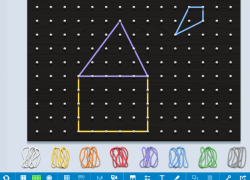
Student Create Shapes on Digital Geoboard

I use this digital geoboard with my 3rd grade students when teaching shapes.  I have students do their best to create, 2d shapes like triangles, right triangles, pentagon, hexagon, octogon, kite, square, rhombus, and rectangles.  When we are done with learning the shapes, students create their own image on the geoboard.  There are many variables that students and teachers can use when creating their shapes like, rubber band color, size of geoboard, add grid, fill in each shape to count area and perimeter, and add text.  Once finished you cna click the share button to gen

Subscribe to 1st